
Key Takeaways
- Most teams figure out how to scale customer support the hard way, by adding people after quality has already slipped.
- Deflection is better than adding staff. Removing a contact is cheaper than answering a contact.
- Instrument customer support metrics before volume doubles.
- Quality dies quietly. Customer satisfaction scores usually lag a month behind what caused the quality to dip.
- Protecting quality is better done by adding support channels one at a time, rather than launching omnichannel customer support.
- Customer support quality is better protected by a partial handover to an outsourced support team than by an all-at-once handover.
Your ticket volume doubled. Your team did not. So the queue gets longer, replies get shorter, and the thing everyone praised you for last year quietly stops being true.
This is the trap. It is easy to protect quality and support customer satisfaction, but to grow your business and keep customer satisfaction high, you have to do both at the same time. That is why you constantly need to learn how to scale customer support.
It is also becoming more expensive. The median cost per contact for an assisted channel is $13.50, and for self-service, it is $1.84. The cheaper ticket is the one that doesn’t get filed.
Here are ten ways to grow the desk without the drop. Want a second opinion? Get a quote, and we’ll review your numbers with you.
What Does It Really Mean To Scale Customer Support?
Scaling customer support means handling more contacts without your resolution quality, response time or agent experience getting worse. Adding people is one lever, and rarely the first one. Adding support agents is typically not the first solution.
Three components that must grow simultaneously: capacity, capability, and systems. Capacity refers to the number of support agents and the hours in a given support period.
Capability refers to the level of support tickets that agents can resolve without needing to escalate. Systems refers to the support ticket handling infrastructure and documentation.
If you grow capacity alone, support agents will just provide even more unhelpful answers. If you grow systems alone, support documentation will proliferate but remain unwieldy and unhelpful.
The result is always the same. The support ticket backlog increases. The team absorbs it with overtime and shortcuts, with poor support documentation and support agents providing even more unhelpful answers.
Get first-contact resolution, backlog age, and reopen-rate reporting cleanly while the team is still small.
That is why learning how to scale customer support properly starts with measurement, not hiring.
10 Ways To Scale Customer Support Without Losing Quality
Work through these approximately in order. The earlier solutions minimize the work, while the later solutions address what remains.
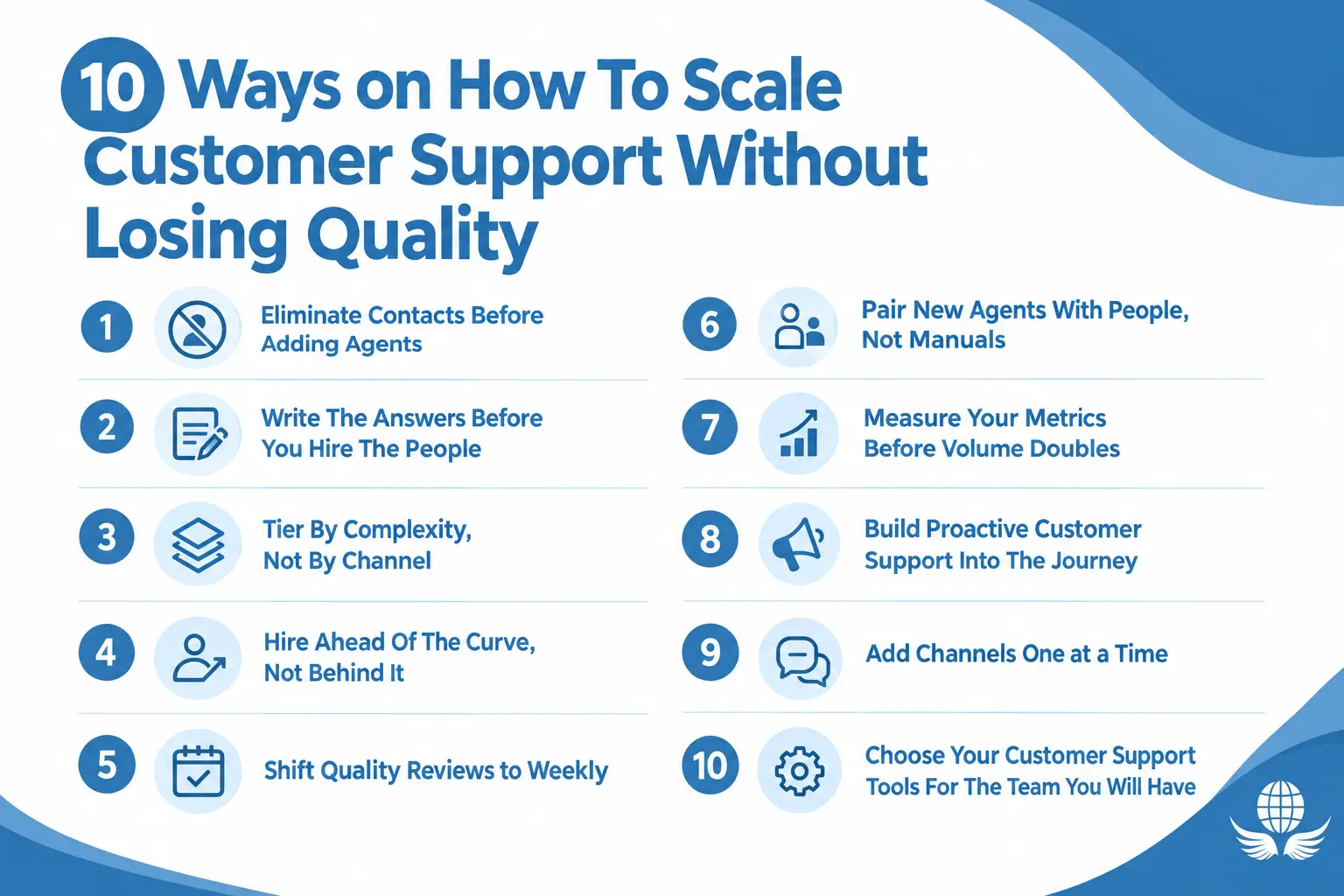
1. Eliminate Contacts Before Adding Agents
The best way to reduce the support ticket backlog is to ensure that support tickets never get created in the first place.
Identify the top twenty reasons for support contact and determine how many are created as a result of support for your product, your billing process, or support for your onboarding process.
Resolving the root cause will eliminate support tickets for good. Most support teams don’t take this approach because it typically falls outside their scope.
2. Write The Answers Before You Hire The People
Each new employee will need to look up information. If your macros and help articles are not detailed, each new hire will learn the answers themselves. Write and test the thirty most common responses before you welcome a new team member. This will reduce ramp time from weeks to days and keep answers consistent as the team grows.
3. Write The Answers Before You Hire The People
Most contact center teams correlate staff to a particular channel. This leaves phone agents idle while chat is backlogged. Instead, tier by contact complexity.
The first tier should handle simple, repetitive contacts. The second tier should consist of contacts that require product judgment.
This is typically where the contact center’s technical support tier is located. Making this one change will increase contact center capacity more than a new hire would and simplify contact center forecasting.
4. Hire Ahead Of The Curve, Not Behind It
New agents take 30 to 90 days to ramp up fully. If you hire new agents when the queue is already burning, you get training pain on top of backlog pain. Model your volume 90 days out and recruit against that number.
Our Erlang staffing calculator will show you how quickly headcount will change with business volume, and our remote call center hiring guide will help you hire for a call center remotely.
5. Shift Quality Reviews to Weekly
Monthly quality scoring provides information on issues from the prior month. Weekly calibration provides information on today’s issues. Limit your review to one behavior per session and conduct a maximum of five contact reviews per agent.
Provide feedback in the same week. Teams that conduct weekly reviews improve, while teams that conduct quarterly reviews plateau and wonder why their customer satisfaction scores decline. Our customer satisfaction index guide offers more detail.
6. Pair New Agents With People, Not Manuals
Documentation does not onboard anyone on its own. Set aside a named buddy for fifteen minutes each morning for one month. It takes a little time each day for the buddy, but saves a lot of time for the supervisor.

This improves quality during the early days of customer support, which is crucial when scaling a support team.
7. Measure Your Metrics Before Volume Doubles
You can not protect what you do not measure. Best practice is to have reports for first-contact resolution, backlog age, and reopen rate by the time the team has scaled. Adding customer support metrics to a busy desk later is painful and always late. Set the baseline now and watch it change as the company grows.
8. Build Proactive Customer Support Into The Journey
If a shipment is late, let the customer know before they ask. Proactive customer support removes whole categories of contact rather than answering them faster.
Status pages, delay alerts, and post-purchase check-ins pay for themselves in avoided volume. Status pages, delay alerts, and post-purchase check-ins all pay for themselves with satisfied customers.
9. Add Channels One At A Time
Adding multiple communication channels at once reduces quality. Each channel has its own pace, tools, and quality standards. Add one channel, run it for a quarter, then move on to the next.
True omnichannel customer support lets agents handle multiple channels instead of treating each channel as a separate support team.
10. Choose Your Customer Support Tools For The Team You Will Have
Customer support tools for routing, reporting, and quality control should handle three times your current volume. Platforms switched mid-growth take weeks to make up for the productivity lost due to the disruption, and it always happens in your busiest quarter.
Which Customer Support Metrics Warn You Early?
Quality is usually lost before it is reflected in customer satisfaction scores. The following customer support metrics help identify issues before they become critical.
| Metric | What it warns you about | Check it |
|---|---|---|
| Backlog age | Capacity shortfall building | Daily |
| First contact resolution | Knowledge or training gaps | Weekly |
| Reopen rate | Answers that look right but are not | Weekly |
| Agent attrition | Workload or coaching problems | Monthly |
| Customer satisfaction scores | Everything above, one month late | Monthly |
Of the five customer support metrics listed, backlog age is the earliest indicator of an issue. The oldest ticket that has not been touched indicates a capacity issue, which typically occurs two to three weeks before customer satisfaction scores reflect an issue.
When Is It Necessary To Seek Outside Assistance?
Demand outpacing your ability to hire is not the only reason to seek outside help. You should also seek outside help when your team cannot cover certain hours or languages, or when you risk overstaffing due to seasonal peaks.
Contact center outsourcing is one answer to how to scale customer support quickly. When a launch or an incident lands without warning, emergency scale-up customer service covers the gap in days rather than quarters.
Outsourcing customer support is not an all-or-nothing decision. Most teams start by handing over one tier or one time window, then keep the complex work in-house. That protects your customer support operations while capacity grows.
Two Models Worth Knowing
Support that is provided on a shared basis is well-suited to support that is simple and repetitive. Contacts are billed per minute, and rates are published on the 24/7 answering service page. It is English only, which is an honest limitation.
Dedicated support is well-suited to complex or technical support and/or support required in multiple languages. Support agents are dedicated to a single client, and customer support is provided using the client’s support tools.
Coverage can be provided in over 100 languages, and support can be delivered through any channel, including a true omnichannel support model.
When considering your options, our best customer service outsourcing companies report should help, or you can contact our team to discuss your target hours and volumes.
What Outsourcing Will Not Fix
Outsourcing your customer service will not fix an internally broken process. In fact, it will just let you give your customers the wrong answer faster, in more languages. You will also experience a ramp time of 30 to 90 days.
If your customer service outsourcing partner guarantees full productivity in week one, they are either lying or lowering the bar.
How Do You Build A 90 Day Scaling Plan?
There are six steps, and you must do them in order. Order matters more than speed when scaling customer support.
- The first step is to audit the twenty most common reasons for contact. For each reason, you will determine if it is avoidable, answerable, or complex.
- For the contact reasons you determined to be avoidable, eliminate them by routing the feedback to the appropriate team (i.e., Product, Billing, or Marketing).
- For the contact reasons that you determined to be answerable, you need to publish the answers and/or implement customer support macros and help articles.
- For contact reasons that you determined to be complex, improve your customer support routing and ensure your customer support tools and applications can support complex routing.
- Before hiring new customer support personnel, baseline your customer support backlog, the age of open support tickets, and the reopen rate. Report and track these weekly.
- Before hiring new customer support personnel, decide your capacity route. Will you outsource customer support, use an in-house customer support team, or a combination of both? What customer support costs will impact this decision? You should be able to have the new support seats available in 90 days.
Most teams try step six (deciding on a capacity route) first, which is why so many people think scaling customer support is difficult. Our call center services team regularly scopes steps four to six with clients.
Final Thoughts
Knowing how to scale customer support is mostly about sequence. Cut avoidable contacts first. Write the answers second. Fix routing and quality cadence third. Next, write the answers. Finally, focus on routing and support ticket backlogs.
Only then should you add new support team members, either in-house or through a support-ticket outsourcing partner. If you do it in reverse order, you’ll need to prepare an explanation for next year on why customer satisfaction scores decreased.
Want to map out the next step in your plan? Call +1 (604) 210-8100.
Frequently Asked Questions (FAQs)
How can customer support be scaled without adding more agents?
Reduce demand before you increase supply. Address product and billing issues that result in your top contact reasons. Provide clear, concise answers to the most frequently asked questions.
Offer proactive customer support to prevent tickets from being created. Most support desks find they can eliminate 15-25% of their ticket volume with the right effort.
What is the initial indication that quality is falling?
Age of the backlog. Backlog age, not satisfaction scores. When your oldest untouched ticket starts getting older each day, capacity is already short.
Reopen rate is the second signal, because it catches answers that looked correct but didn’t actually resolve anything. Both move two to three weeks before customer satisfaction scores react.
What customer support metrics can be focused on when support ticket volume is increasing?
First-contact resolution, backlog age, and reopen rate. These will indicate whether support ticket volume is being resolved effectively or shifted to other support tickets.
Review these alongside support desk agent attrition, as rising agent turnover suggests support ticket volume and/or coaching for support desk agents has been neglected.
Should we expand our existing channels or create new ones?
Let’s focus on deepening our current channels for now. Adding a new channel increases tool and training costs and can negatively affect channel availability and usage.
Omni-channel support works best when agents are proficient with multiple support channels. If your support team is already backlogged with email support, adding chat support will only make things worse.
How long do you estimate it will take to see improvements in customer support after outsourcing?
Plan for 30-90 days. The first month is for knowledge transfer, and setting up support tickets and learning the systems. Volume will eventually increase once you reach an acceptable quality level.
If you expect full support ticket closure in the first week, either a previous support team was moved to the new location or support ticket closure standards changed, and both will negatively affect your support scores.
What should be our initial focus for customer support improvements: routing or reporting?
Routing should be the first focus area, as it can help determine whether support tickets can be tiered by complexity. Reporting determines whether support tickets can be routed in a way that provides visibility into support requests that may indicate an upcoming issue.
Next, focus on the support ticket knowledge base. Implement chatbots and support ticket automation once support requests are routed and ticketing visibility is stable.

